안녕하세요 상훈입니다.

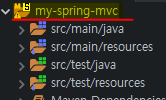
Java - Spring - Maven 설정 중에 자바 버전 관련한 에러가 발생하였습니다.

Description Resource Path Location Type Dynamic Web Module 3.1 requires Java 1.7 or newer. my-spring-mvc line 1 Maven Java EE Configuration Problem

이는 해당 자바 버전이 현재 컴파일러 버전 수준에 미달되거나 설정되지 않아 발생하는 에러입니다.


순서대로 따라와주시면 됩니다.

1. window - preferences
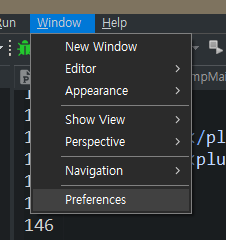
window-preferences


2. Java - Compiler - compliance level 설정

 Java - Compiler - 

이곳에서 본인이 사용하는 버전에 맞게 설정해주시고, 아래의 Apply를 눌러주시면 됩니다.

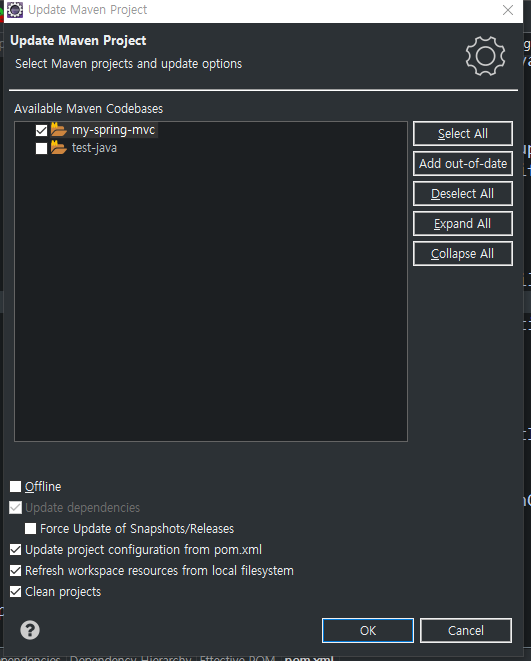
그리고 프로젝트 - ALT+F5프로젝트 업데이트 해주세요.


프로젝트 클릭하고 ALT+F5


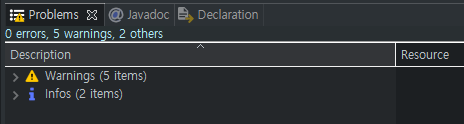
업데이트 빌드 결과 확인

에러 해결


이상입니다.


감사합니다.

반응형


안녕하세요 상훈입니다.

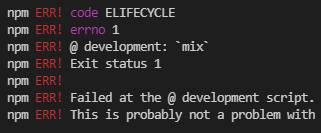
에러 내용

그간 자주 npm run dev / npm run 에러가 발생하였었는데, 오늘에서야 진짜 이유를 알았습니다.


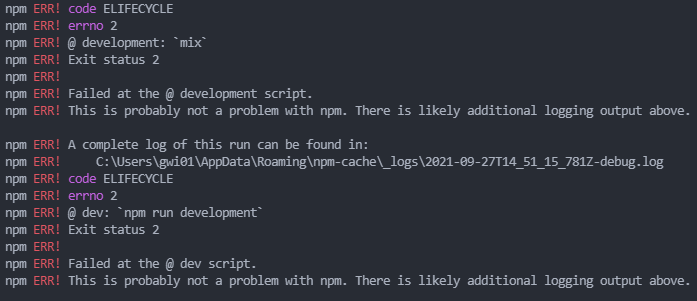
npm ERR! code ELIFECYCLE
npm ERR! errno 1
npm ERR! @ development: `mix`
npm ERR! Exit status 1
npm ERR!
npm ERR! Failed at the @ development script.
npm ERR! This is probably not a problem with npm. There is likely additional logging output above.

npm ERR! A complete log of this run can be found in:

npm ERR! code ELIFECYCLE
npm ERR! errno 1
npm ERR! @ dev: `npm run development`
npm ERR! Exit status 1
npm ERR!
npm ERR! Failed at the @ dev script.
npm ERR! This is probably not a problem with npm. There is likely additional logging output above.

npm ERR! A complete log of this run can be found in:


일단 에러 해결부터

npm i -g npm@latest


바로 npm의 최신 버전 설치였습니다.

제가 얼마전에 npm 설치를 했었기에 막연하게 최신버전이겠거니 해서 신경 자체를 안썼습니다.

그러나 오늘 알게되었습니다...... 후.... 깊은 brain crack이 찾아오네요 ㅎㅎ


화이팅입니다.


참고


npm run dev error, node modules 에러

npm run dev 명령어를 쳤는데 계속 아래와 같은 에러가 출력된다 -------npm run dev error------ #이것도 뜨고 node_modules/cross-env/src/index.js:23 #이것도 뜨고 npm ERR! cb.apply is not a function #이것..

bug41.tistory.com


반응형

안녕하세요 상훈입니다.


npm install 명령어를 통해서 npm 프로젝트를 업데이트 및 설치를 하는데 갑자기

npm ERR! code ELIFECYCLE
npm ERR! errno 1
npm ERR! node-sass@4.13.1 postinstall: `node scripts/build.js`

npm ERR! Exit status 1 
npm ERR! Failed at the node-sass@4.13.1 postinstall script.

에러가 발생하였습니다.

해당 에러는 

node.js의 버전일치로 해결이 가능합니다.


node.js - 오류 npm 설치-node-sass@4.13.1 설치 후 :`node scripts /build.js

npm을 설치할 때마다 npm ERR! errno 1 npm ERR! [email protected] postinstall: `node scripts/build.js` npm ERR! Exit status 1 npm ERR! npm ERR! Failed at the [email protected] postinstall script. npm ERR! This is probably not a problem with npm. The

www.python2.net


참고

반응형

안녕하세요 상훈입니다.

Vue.js 3 혹은 2를 사용하시는데 갑자기 


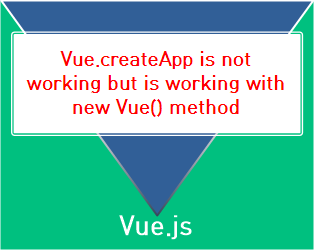
Vue.createApp is not working but Is working with new Vue() method

이러한 에러가 떴다면, 사용하려는 script cdn 혹은 설치하신 vue 라이브러리가 Vue 2를 의미합니다.

그렇기 때문에 Vue 3 로 변경을 해주어야합니다.

클릭시 vue 공식 웹사이트로 이동합니다(새창)

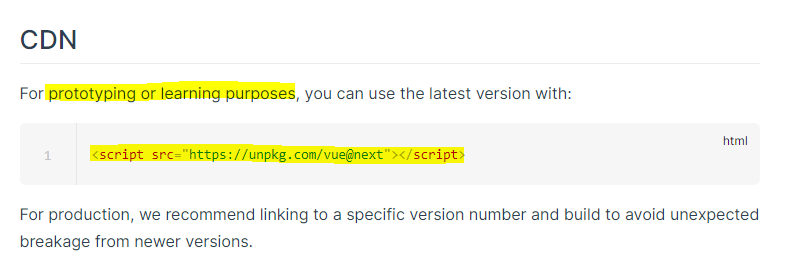
개발 모드 혹은 공부하실 때 사용하시면 되는 cdn 주소입니다.

<script src="https://unpkg.com/vue@next"></script>

이걸로 복사하셔도 무방하구요!


참고


Vue.createApp is not working but Is working with new Vue() method

I'm getting this error tesyya.js:16 Uncaught TypeError: Vue.createApp is not a function mycode follows like this const app = Vue.createApp({ data() { return { count: 4 } } })

stackoverflow.com


반응형
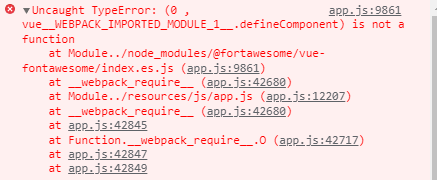
Uncaught TypeError: (0 , vue__WEBPACK_IMPORTED_MODULE_1__.defineComponent) is not a function at Module../node_modules/@fortawesome/vue-fontawesome/index.es.js (app.js:9861) at __webpack_require__ (app.js:42680) at Module../resources/js/app.js (app.js:12207) at __webpack_require__ (app.js:42680) at app.js:42845 at Function.__webpack_require__.O (app.js:42717) at app.js:42847 at app.js:42849


또 에러 나옴

멍미 이거

Uncaught TypeError: (0 , vue__WEBPACK_IMPORTED_MODULE_1__.defineComponent) is not a function
    at Module../node_modules/@fortawesome/vue-fontawesome/index.es.js (app.js:9861)
    at __webpack_require__ (app.js:42680)
    at Module../resources/js/app.js (app.js:12207)
    at __webpack_require__ (app.js:42680)
    at app.js:42845
    at Function.__webpack_require__.O (app.js:42717)
    at app.js:42847
    at app.js:42849

반응형

안녕하세요 상훈입니다.

Laravel module 에러로 npm run 이 안되는 에러가 발생하였습니다.


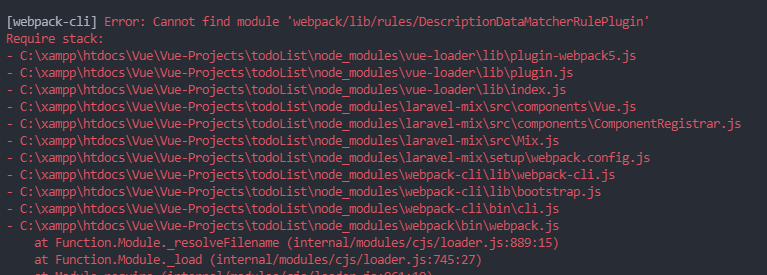
에러 문구 설명

이런 예시로 에러가 발생하였고,


추가 에러

추가적으로 ELIFECYCLE에러가 지속적으로 발생하였습니다.


구글링을 열심히 하던 와중

해결하게되었습니다.


$ npm install vue-template-compiler vue-loader@^15.9.5 --save-dev --legacy-peer-deps

// 다운로드 완료 후
$ npm run watch

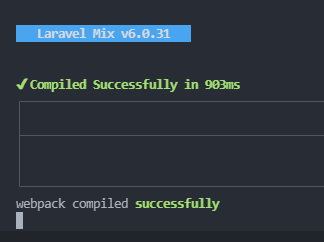
결과


이상입니다.


해당 에러의 원인은 vue3 와 laravel8의 에러라고하는데, 지속적으로 발생하더군요..

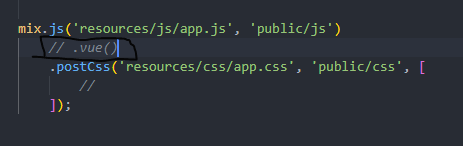
webpack.mix.js 에 해당하는 내용으로

.vue() 를 추가해주었습니다. 이게 vue2와 vue3의 차이라고합니다.

왤까.....나는 말하는 감자다


Module 'vue' can't resolved in app.js · Issue #2717 · laravel-mix/laravel-mix

Laravel Mix Version: 6.0.5 Vue Version: 2.6.12 Laravel/Lumen-Framework: 5.8 Node Version: 15.4.0 NPM Version: 7.0.15 OS: Win10 Description: I get the following error if I try to npx mix: ERROR in ....

github.com

해당 포스팅에서 내용을 확인하였습니다.

반응형

안녕하세요 상훈입니다.

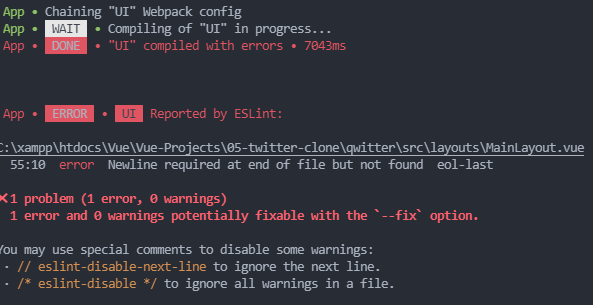
1 error and 0 warnings potentially fixable with the `--fix` option.
- npm run serve
- quasar dev


노드를 이용하여 프로젝트를 구동 하던 와중에 해당 에러가 발생하였다.


중요한건 아니지만 에러 인증 정도.


--fix 옵션을 이용하여 뭘 어떻게 하라는건 알겠는데 node를 잘사용해보지 않은 입장에서는 당황스러울 수 있다.


에러 해결:

./node_modules/.bin/eslint src --fix

이렇게 하면 된다.


그리고 다시 프로젝트 구동!


수고용


저는 vue.js 를 공부중입니다.

quasar 와 함께용.


반응형

수정 21.09.01.10:11

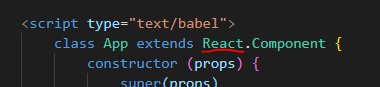
에러해결 - ReactDOM.Component => React.Component

DOM이 아니라 그냥 React만 호출해야했다.


VM42:9 Uncaught TypeError: Super expression must either be null or a function, not undefined

React.js 하던와중 갑자기 이런 에러가 발생

왠지모르겠음.. 

super()를 선언할때 인자로 null 혹은 function이 들어가야하는데 undefined가 들어갔다. 라는 뜻 같은데..

props에 해당하는 부분이 undefined 된건가?

흠.


코드는 대충 클릭이벤트 함수를 생성한것인데, 이렇다. 


<body>
    <div id="root"></div>

    <script type="text/babel">
        class App extends ReactDOM.Component {
            constructor (props) {
                super(props)
                this.state = {
                    count : 0
                }
                this.countUp = this.countUp.bind(this)
            }
            render () {
                return (
                    <div>
                        <h1>클릭한 횟수 : {this.state.count}</h1>
                        <button onClick={this.countUp}>클릭</button>
                    </div>
                    )
            }
    
            countUp (event) {
                this.setState({
                    count: this.state.count + 1
                })
            }
            
        }

        const container = document.querySelector("#root")
        ReactDOM.render(<App />, container)

        
    </script>


</body>


반응형

+ Recent posts