2시간 동안의 사투 끝에 드디어 해결했네요!
Radit 이나 여러 여러 여러 사이트들을 보면 저와 동일한 에러에 직면한 케이스가 많더라구요.
저처럼 Expo SDK 52와 NativeWind v4 조합으로 앱을 개발하다가 EAS Build에서 막힌 분들을 위해, 그리고 나중에 또 같은 실수를 반복하지 않을 저를 위해 삽질 기록을 정리해 봅니다.


■ 문제 상황: "분명 로컬에선 됐는데, 빌드만 하면 터진다?"
만보기 기능을 구현하려고 expo-sensors를 달고, 스타일링을 위해 NativeWind v4를 세팅했습니다. 로컬에서는 아주 예쁘게 잘 돌아갔죠. 그런데 eas build 명령어만 날리면 아래와 같은 무시무시한 에러와 함께 빌드가 중단되었습니다.
SyntaxError: index.js: [BABEL] ... Cannot find module 'react-native-worklets/plugin'
분명 react-native-worklets-core를 설치했는데도 바벨(Babel)은 자꾸 이름이 미묘하게 다른 react-native-worklets/plugin이 없다고 징징대는 상황이었습니다.
■ 원인 분석: 범인은 ^ (캐럿) 하나였다
2시간 동안 구글링과 문서 분석 끝에 찾아낸 원인은 NativeWind의 과한 의욕 때문이었습니다.
- 버전 자동 업데이트의 함정: package.json에 "nativewind": "^4.1.23"라고 적어두면, npm은 설치 시점에 4.1.23보다 높은 최신 버전(4.2.x)을 가져옵니다.
- NativeWind 4.2.x의 변화: 최신 4.2.x 버전은 Reanimated 4에 대응하기 위해 내부적으로 react-native-worklets/plugin을 강제로 호출합니다.
- 이름 불일치: 하지만 현재 Expo SDK 52의 표준은 react-native-worklets-core입니다. 바벨은 -core가 붙지 않은 정확한 이름을 찾으려다 보니 모듈을 찾지 못하고 뻗어버린 것이죠.
해결 방법: 버전을 강제로 묶어라 (Pinning)
결국 해결책은 똑똑한 척하는 업데이트 기능을 끄고, 우리 프로젝트와 가장 잘 맞는 안정적인 버전으로 강제 고정하는 것이었습니다.
1. package.json 수정
버전 앞의 ^ 기호를 제거하여 딱 4.1.23 버전만 쓰도록 못 박았습니다.
"dependencies": {
  "nativewind": "4.1.23",  // ^ 제거!
  "react-native-css-interop": "0.2.3",
  "react-native-reanimated": "~3.16.1"
}
2. 찌꺼기 제거 및 재설치
이전 버전의 캐시가 남지 않도록 과감하게 밀고 다시 깔았습니다.
rm -rf node_modules package-lock.json
npm install
3. babel.config.js 정리
불필요한 플러그인 호출을 제거하고 NativeWind v4 전용 설정을 적용했습니다.
module.exports = function (api) {
  api.cache(true);
  return {
    presets: [
      ["babel-preset-expo", { jsxImportSource: "nativewind" }],
      "nativewind/babel",
    ],
    plugins: ["react-native-reanimated/plugin"],
  };
};
▶️ 최신이 항상 정답은 아니다
이번 삽질을 통해 다시 한번 깨달았습니다. 라이브러리 간의 의존성이 복잡하게 얽힌 리액트 네이티브 환경에서는 캐럿(^) 하나가 전체 빌드를 무너뜨릴 수 있다는 것을요.
특히 NativeWind처럼 과도기에 있는 라이브러리는 안정적인 버전을 확인하고 강제로 고정해서 쓰는 습관이 정신 건강에 이로운 것 같습니다. 이제 만보기 데이터가 올라가는 걸 보니 속이 다 시원하네요!
저와 같은 에러로 고통받는 분들이 계신다면, 지금 당장 package.json에서 ^부터 지워보세요.
Expo 에서 build fail 한 내용입니다.
Starting Metro Bundler
Android Bundling failed 735ms index.js (1 module)
SyntaxError: index.js: [BABEL] /home/expo/workingdir/build/index.js: Cannot find module 'react-native-worklets/plugin'
Require stack:
- /home/expo/workingdir/build/node_modules/@babel/core/lib/config/files/plugins.js
- /home/expo/workingdir/build/node_modules/@babel/core/lib/config/files/index.js
- /home/expo/workingdir/build/node_modules/@babel/core/lib/index.js
- /home/expo/workingdir/build/node_modules/metro-transform-worker/src/index.js
- /home/expo/workingdir/build/node_modules/react-native-css-interop/dist/metro/transformer.js
- /home/expo/workingdir/build/node_modules/metro/src/DeltaBundler/Worker.flow.js
- /home/expo/workingdir/build/node_modules/metro/src/DeltaBundler/Worker.js
- /home/expo/workingdir/build/node_modules/jest-worker/build/workers/processChild.js

Make sure that all the Babel plugins and presets you are using
are defined as dependencies or devDependencies in your package.json
file. It's possible that the missing plugin is loaded by a preset
you are using that forgot to add the plugin to its dependencies: you
can workaround this problem by explicitly adding the missing package
to your top-level package.json.

Error: [BABEL] /home/expo/workingdir/build/index.js: Cannot find module 'react-native-worklets/plugin'
Require stack:
- /home/expo/workingdir/build/node_modules/@babel/core/lib/config/files/plugins.js
- /home/expo/workingdir/build/node_modules/@babel/core/lib/config/files/index.js
- /home/expo/workingdir/build/node_modules/@babel/core/lib/index.js
- /home/expo/workingdir/build/node_modules/metro-transform-worker/src/index.js
- /home/expo/workingdir/build/node_modules/react-native-css-interop/dist/metro/transformer.js
- /home/expo/workingdir/build/node_modules/metro/src/DeltaBundler/Worker.flow.js
- /home/expo/workingdir/build/node_modules/metro/src/DeltaBundler/Worker.js
- /home/expo/workingdir/build/node_modules/jest-worker/build/workers/processChild.js

Make sure that all the Babel plugins and presets you are using
are defined as dependencies or devDependencies in your package.json
file. It's possible that the missing plugin is loaded by a preset
you are using that forgot to add the plugin to its dependencies: you
can workaround this problem by explicitly adding the missing package
to your top-level package.json.

    at Module._resolveFilename (node:internal/modules/cjs/loader:1212:15)
    at resolve (node:internal/modules/helpers:193:19)
    at tryRequireResolve (/home/expo/workingdir/build/node_modules/@babel/core/lib/config/files/plugins.js:128:11)
    at resolveStandardizedNameForRequire (/home/expo/workingdir/build/node_modules/@babel/core/lib/config/files/plugins.js:162:19)
    at resolveStandardizedName (/home/expo/workingdir/build/node_modules/@babel/core/lib/config/files/plugins.js:183:12)
    at loadPlugin (/home/expo/workingdir/build/node_modules/@babel/core/lib/config/files/plugins.js:56:7)
    at loadPlugin.next (<anonymous>)
    at createDescriptor (/home/expo/workingdir/build/node_modules/@babel/core/lib/config/config-descriptors.js:140:16)
    at createDescriptor.next (<anonymous>)
    at evaluateSync (/home/expo/workingdir/build/node_modules/gensync/index.js:251:28)
    at /home/expo/workingdir/build/node_modules/gensync/index.js:31:34
    at Array.map (<anonymous>)
    at Function.sync (/home/expo/workingdir/build/node_modules/gensync/index.js:31:22)
    at Function.all (/home/expo/workingdir/build/node_modules/gensync/index.js:210:24)
    at Generator.next (<anonymous>)
    at createDescriptors (/home/expo/workingdir/build/node_modules/@babel/core/lib/config/config-descriptors.js:102:41)
    at createDescriptors.next (<anonymous>)
    at createPluginDescriptors (/home/expo/workingdir/build/node_modules/@babel/core/lib/config/config-descriptors.js:99:17)
    at createPluginDescriptors.next (<anonymous>)
    at /home/expo/workingdir/build/node_modules/@babel/core/lib/gensync-utils/functional.js:22:27
    at Generator.next (<anonymous>)
    at mergeChainOpts (/home/expo/workingdir/build/node_modules/@babel/core/lib/config/config-chain.js:349:34)
    at mergeChainOpts.next (<anonymous>)
    at chainWalker (/home/expo/workingdir/build/node_modules/@babel/core/lib/config/config-chain.js:316:14)
    at chainWalker.next (<anonymous>)
    at buildPresetChain (/home/expo/workingdir/build/node_modules/@babel/core/lib/config/config-chain.js:33:24)
    at buildPresetChain.next (<anonymous>)
    at loadPresetDescriptor (/home/expo/workingdir/build/node_modules/@babel/core/lib/config/full.js:295:53)
    at loadPresetDescriptor.next (<anonymous>)
    at recursePresetDescriptors (/home/expo/workingdir/build/node_modules/@babel/core/lib/config/full.js:77:31)
    at recursePresetDescriptors.next (<anonymous>)
    at /home/expo/workingdir/build/node_modules/@babel/core/lib/config/full.js:156:21
    at Generator.next (<anonymous>)
    at loadFullConfig (/home/expo/workingdir/build/node_modules/@babel/core/lib/config/full.js:113:5)
    at loadFullConfig.next (<anonymous>)
    at transform (/home/expo/workingdir/build/node_modules/@babel/core/lib/transform.js:20:44)
    at transform.next (<anonymous>)
    at evaluateSync (/home/expo/workingdir/build/node_modules/gensync/index.js:251:28)
    at sync (/home/expo/workingdir/build/node_modules/gensync/index.js:89:14)
    at stopHiding - secret - don't use this - v1 (/home/expo/workingdir/build/node_modules/@babel/core/lib/errors/rewrite-stack-trace.js:47:12)
    at Object.transformSync (/home/expo/workingdir/build/node_modules/@babel/core/lib/transform.js:40:76)
    at parseWithBabel (/home/expo/workingdir/build/node_modules/@expo/metro-config/build/transformSync.js:65:18)
    at transformSync (/home/expo/workingdir/build/node_modules/@expo/metro-config/build/transformSync.js:54:12)
    at Object.transform (/home/expo/workingdir/build/node_modules/@expo/metro-config/build/babel-transformer.js:115:58)
    at transformJSWithBabel (/home/expo/workingdir/build/node_modules/@expo/metro-config/build/transform-worker/metro-transform-worker.js:440:47)
    at Object.transform (/home/expo/workingdir/build/node_modules/@expo/metro-config/build/transform-worker/metro-transform-worker.js:549:12)
    at transform (/home/expo/workingdir/build/node_modules/@expo/metro-config/build/transform-worker/transform-worker.js:117:23)
    at Object.transform (/home/expo/workingdir/build/node_modules/react-native-css-interop/dist/metro/transformer.js:15:16)
    at transformFile (/home/expo/workingdir/build/node_modules/metro/src/DeltaBundler/Worker.flow.js:54:36)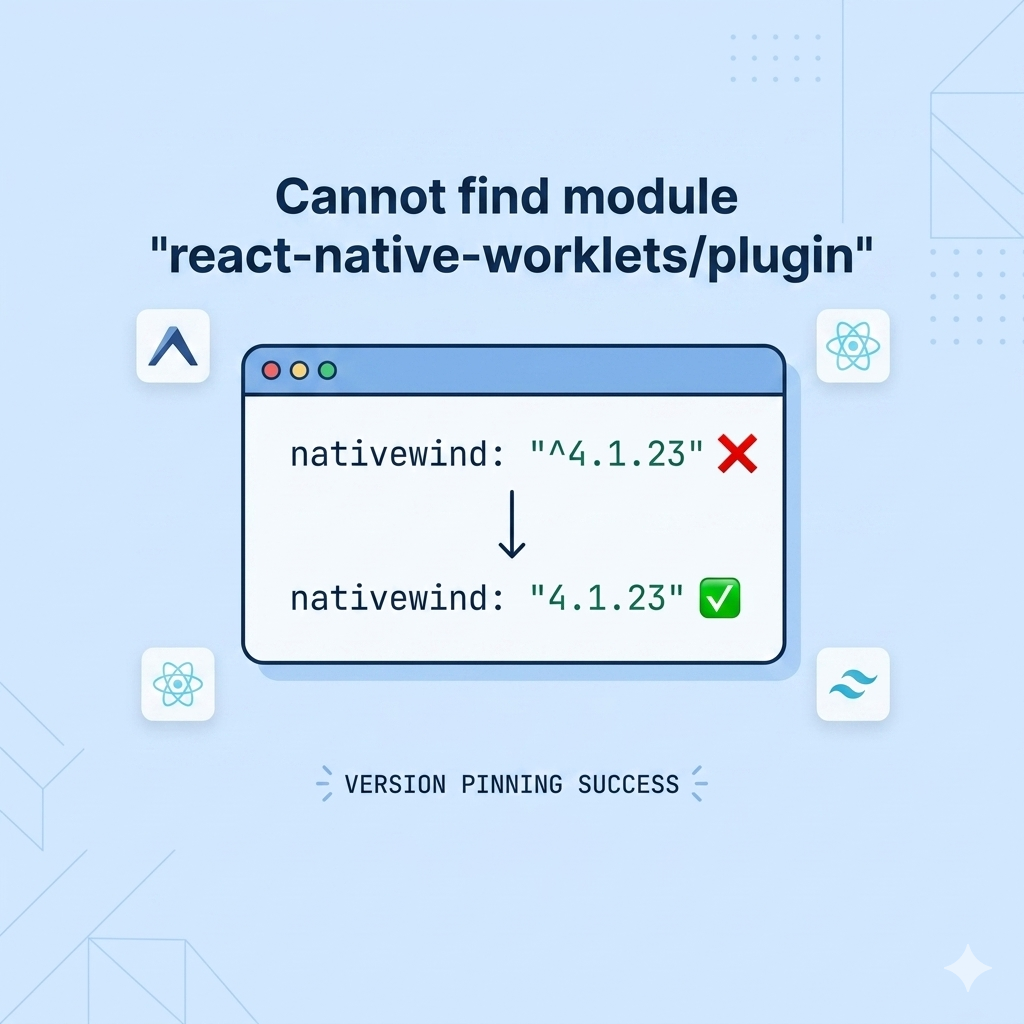
'Android' 카테고리의 다른 글
| [ 에러해결 ] Error: adb: failed to install ~ Exponent-2.25.2.apk: Failure [INSTALL_FAILED_INSUFFICIENT_STORAGE] (1) | 2022.10.06 |
|---|